Auto Relay
An Android app that forwards incoming messages to email or another number.
Setting Up Message Forwarding on iPhone
On iOS you don’t need a third-party app. The built-in Shortcuts app has an Automation feature that can forward any incoming message to your email automatically.
Step 1. Create a new automation
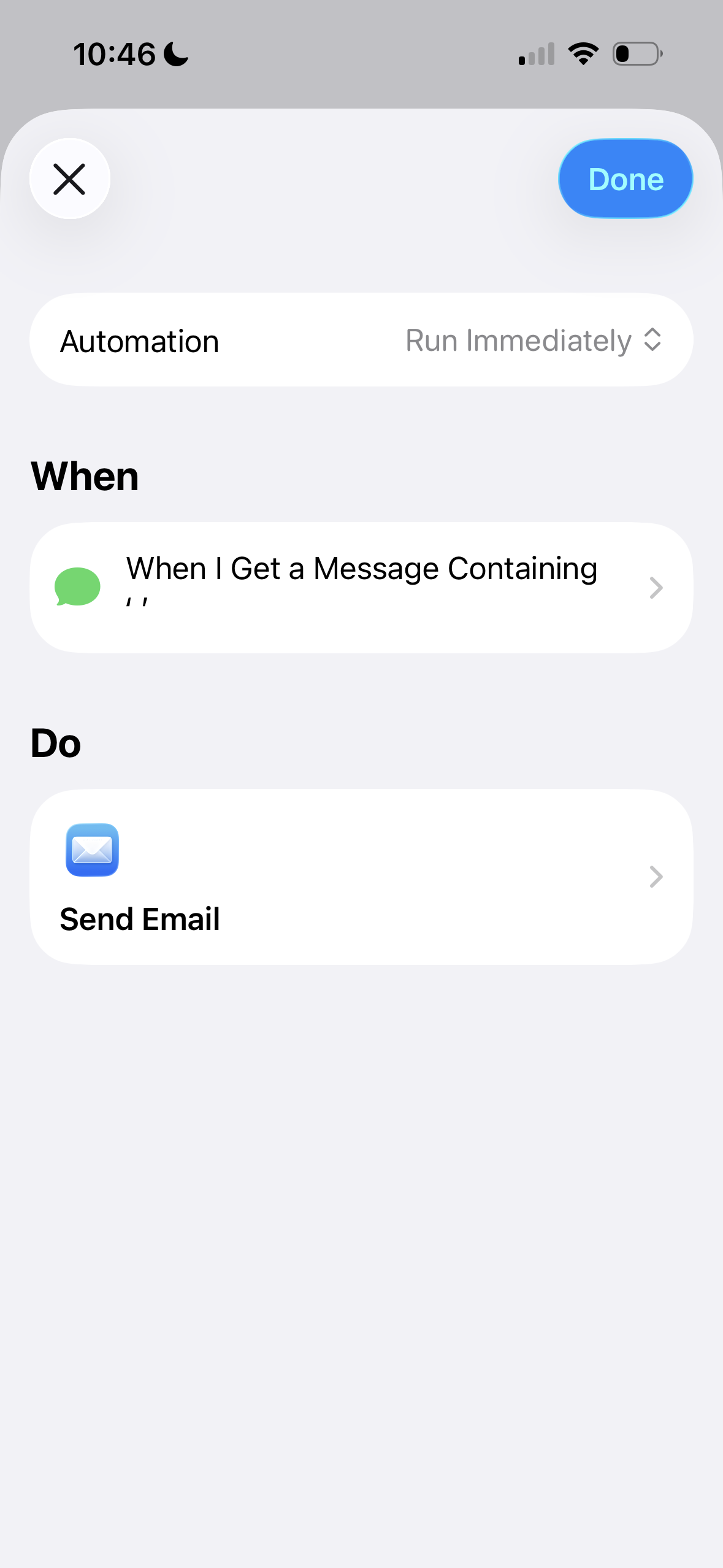
Open the Shortcuts app, go to the Automation tab, and tap New Automation. Choose Message as the trigger.
Step 2. Configure the trigger filter
iOS requires at least one filter to activate the automation. To catch every incoming message:
- Set From to Any Contact (or leave it unconstrained).
- Under Message Contains, type a single space character.
A single space matches virtually all real messages, so this effectively forwards everything without needing to enumerate senders or keywords.
Step 3. Add the email action
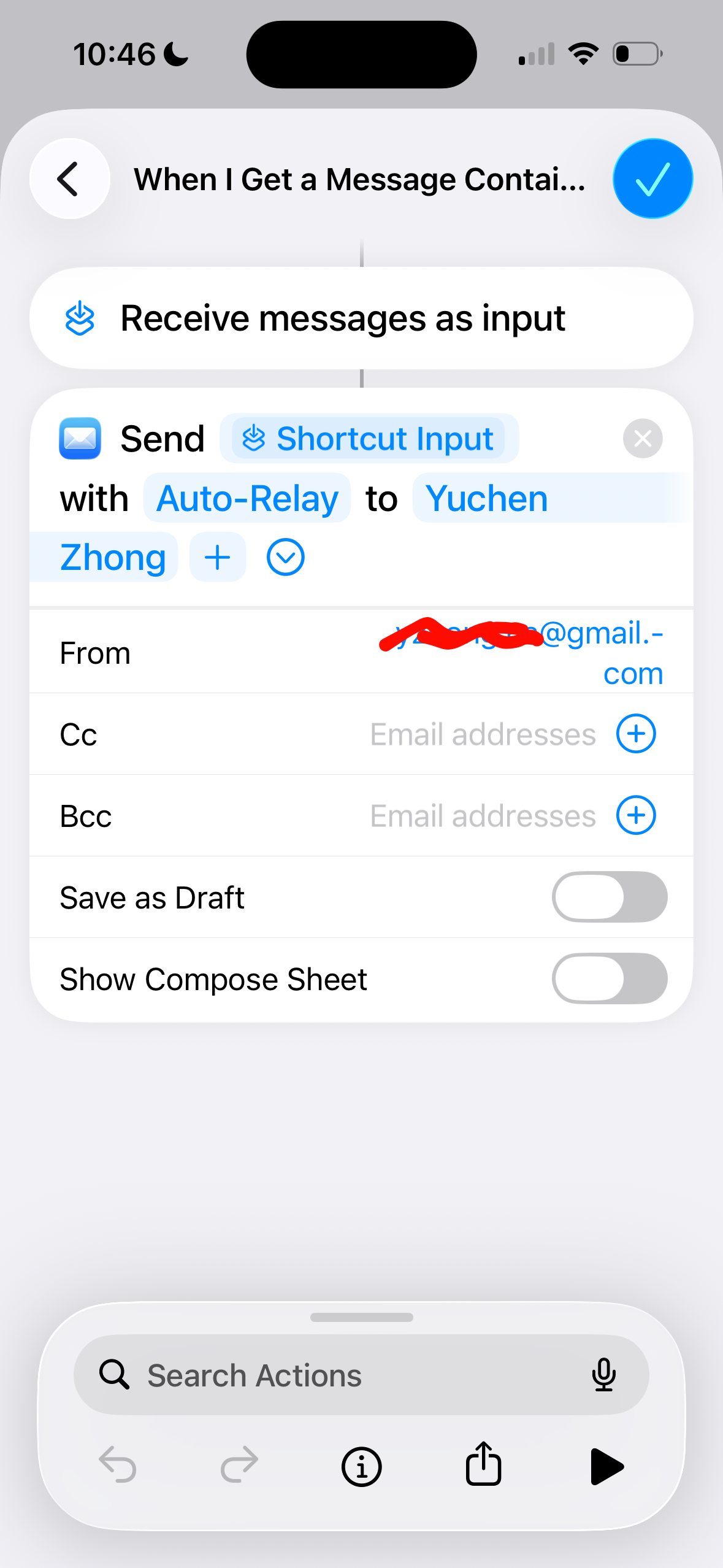
Tap Next, then add the Send Email action. Configure it:
- To: your email address
- Subject:
Auto-Relay - Body: tap the field and insert the Shortcut Input variable so the original message text appears in the email body.
Result
Every incoming message triggers the automation and sends an email with the subject Auto-Relay.
Now you can leave your phone in the closet — no more picking it up just to check a code.